| ⭅ Previous (Prototype & Specs) |
App Development & Emulation
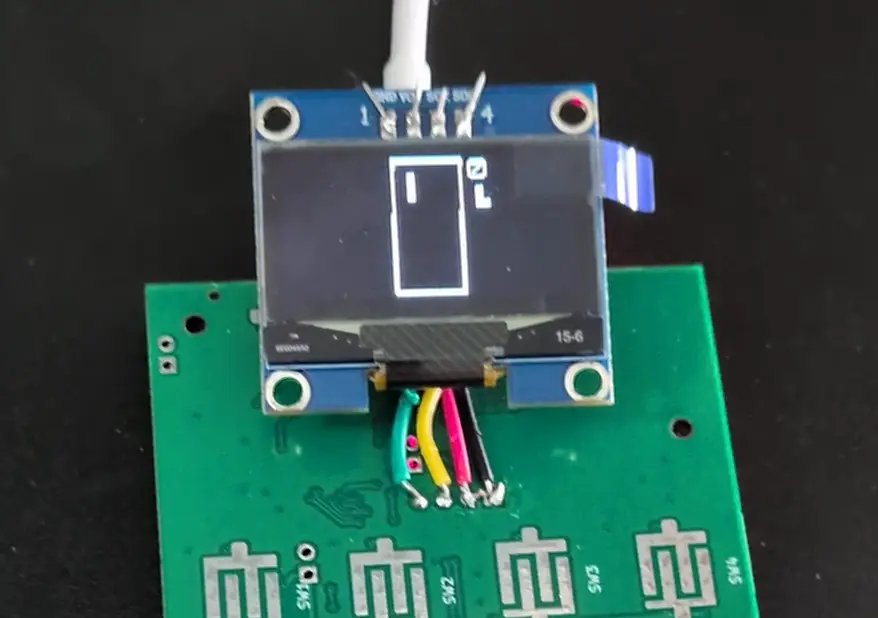
Last time we talked about hardware specs and initial prototypes for our upcoming pocket computer. With the electrical design completed, we’ve sent designs for manufacturing and have some time to wait. In the mean time, we’ve been working on the software. This includes both software that runs on the device, as well as a series of emulators. Inspired by ideas of permacomputing, we’d like to ensure that apps developed for the device are permanently viable, either on physical hardware or through emulation.
We’re calling this first device the Metal-16.
If you’d like to skip ahead and look at the emulator, you can find it online at metal-hw.com/emulator.
Why Emulate
Durability & Permacomputing
Before talking about how our emulators work, lets talk about why we created emulators in the first place. As we hinted above, we want to build a durable platform for app development. Part of this comes from our overall design, which we’ll talk about soon. But another part of it is in allowing the platform to outlive the physical hardware.
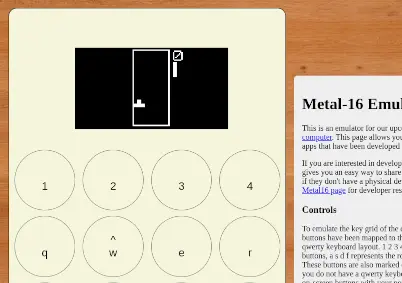
If you write an app for the Metal-16, you’ll always be able to run it. Either on a device, in our native emulator, or in the browser.
Rapid development
Emulation also improves development speed. Though our hardware contains the best practices for debugging hardware, debugging on an embedded device will always be less convenient than in your standard development environment.
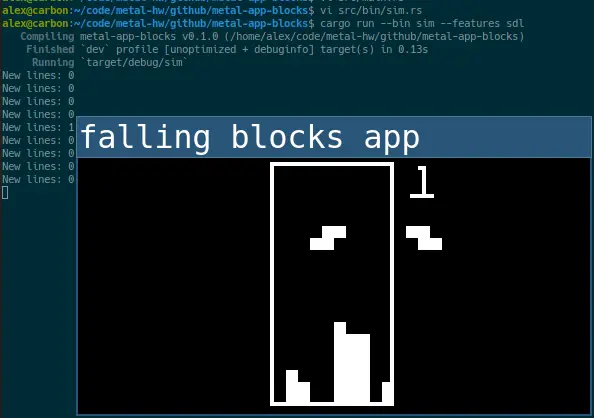
So lets ensure that you can use your familiar tools to develop apps! We’ve built a local simulator, which allows you to build and run your apps on your computer. This lets you use unit tests, your favorite debugger, printlines and CI while developing your embedded applications.
Widely accessible
Choosing to support a new platform is often a numbers game. Are there enough users to make it worth your time? Especially if you are on a small team, it can be hard to justify supporting a small niche platform.
While we are working to make our platform /qualitatively/ different, but we’d also like it to /quantitatively/ work out. If you build for this platform, your audience is anyone with a web browser.
An initial version of our emulator is available at our Metal-HW site. We only have a few apps available at the time of writing, but you will be able to load your own apps here in the near future.
Why Metal-HW
Now we’ve covered a few ways we think that emulation makes our device an interesting platform. By providing official emulation support, the platform transcends its silicon. But besides the surrounding benefits, is the platform itself worth it? We think so, and here are a few ways the device is unique:
Baremetal access
When you power on a device, it starts a minimal loader application. This allows you to select and launch an app from the MicroSD card. Once your app is running, it has complete control of the device. Depending on your background, this provides several interesting benefits:
- Retrocomputing fans: Classic hardware like the C64 gave you full access to the hardware once your app booted. We’re bringing that back. Write apps that push the limits of what can be done. Rediscover the charm of working within modest hardware constraints.
- Security conscious: Tired of endless exploits in your desktop operating system? With this platform, you control 100% of what runs. And unlike your desktop OS which probably has 10s of millions of lines of code, this needs less code than can fit in your head. And after your app boots, nothing else is running. No need to worry about a bug in the tcp stack or a type confusion bug that lets anyone log in with a long enough password. We also plan on launching with support for reproducible builds, helping protect you from software supply chain attacks.
- DIY fans: Make the device your own. Everything will be open source, so you can customize anything you want. Into 3D Printing? Design and build your own enclosure. Into software customization? Turn this into your dream device.
- Low Level enthusiasts: Write apps directly for baremetal. Understand how your hardware really works, and enjoy a device that you fully control. No more asking permission to run software on your own device. Don’t like our APIs? You don’t have to use them, and can build your own.
Devkit coming soon!
We’re almost ready to publish developer resources for the Metal-16, which will allow you to start creating your own apps for the device. We have a few more details to sort out, and we’d like to fix these first so that developers won’t be forced to immediately update their apps.
If this is interesting to you, join our newsletter below. We will be announcing these developer resources, and also providing subsidized hardware to early developers.
| ⭅ Previous (Prototype & Specs) |